
Projects, towers, units, bookings and channel partners in one place.
Live unit inventory, a sales pipeline from enquiry to handover, automatic unit status, cost sheets, booking documents and channel partner commissions, on your own Bitrix24.
The problems it solves
What happens today, and what happens with Builder CRM.
See it in action
Real screens from our own Bitrix24.
Demo project Ausumn Greens (80 units). Deal and commission figures are sample data.
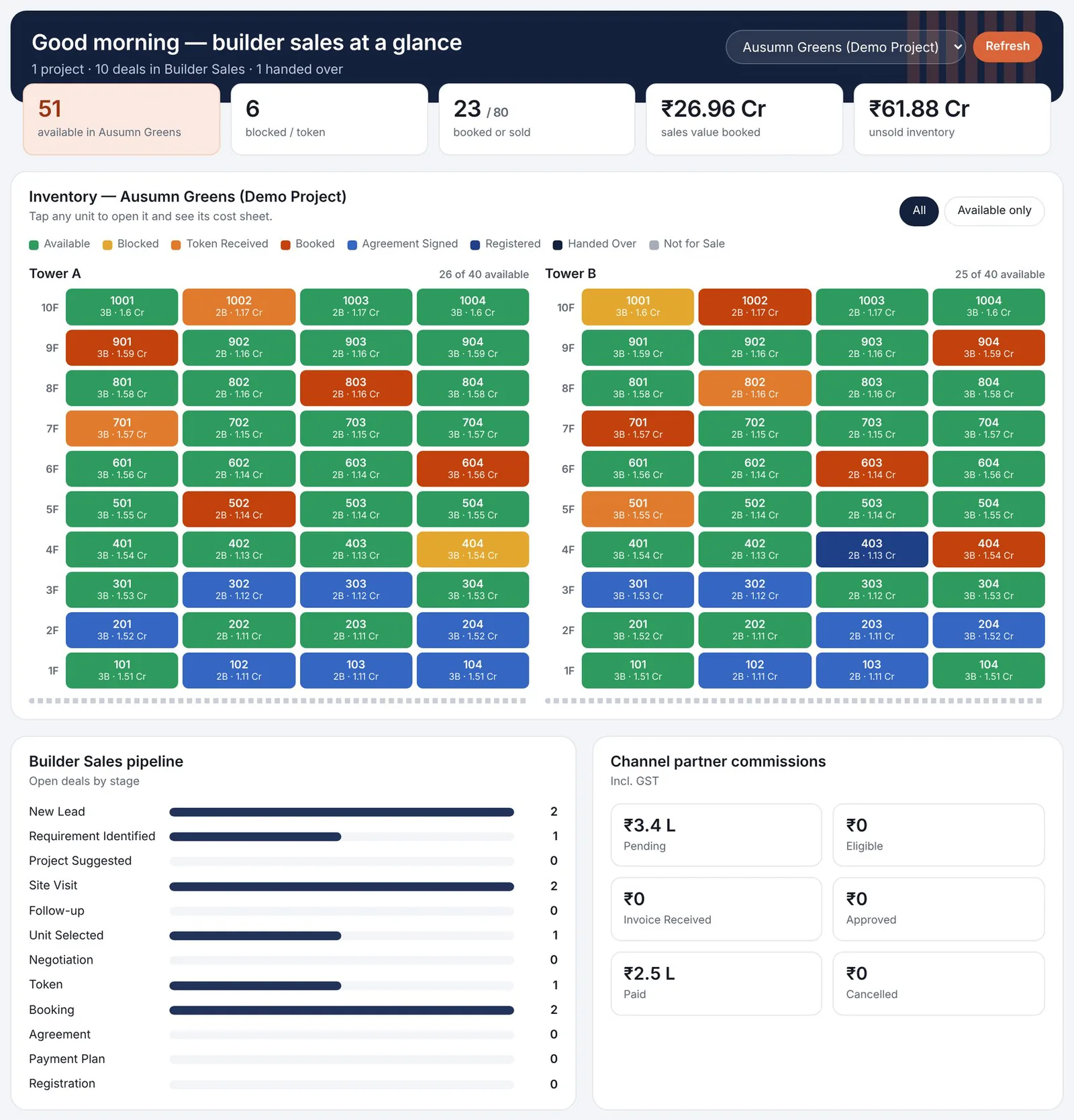
The whole project on one screen
Project KPIs and the tower × floor inventory grid. Every unit shows its status colour and price.
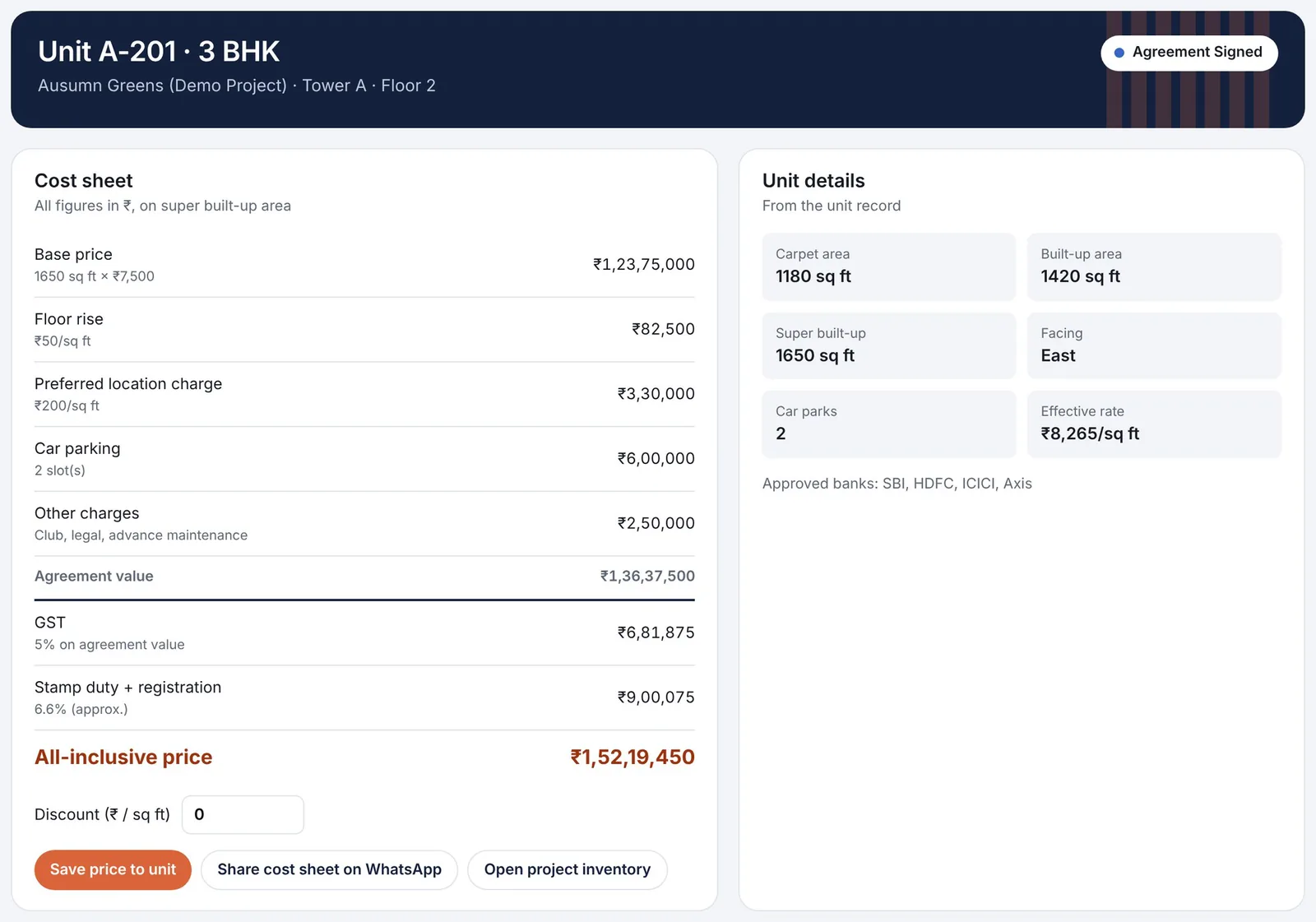
Cost sheet in ten seconds
Cost sheet on every unit: all-inclusive price in seconds, with discount, save and share on WhatsApp.
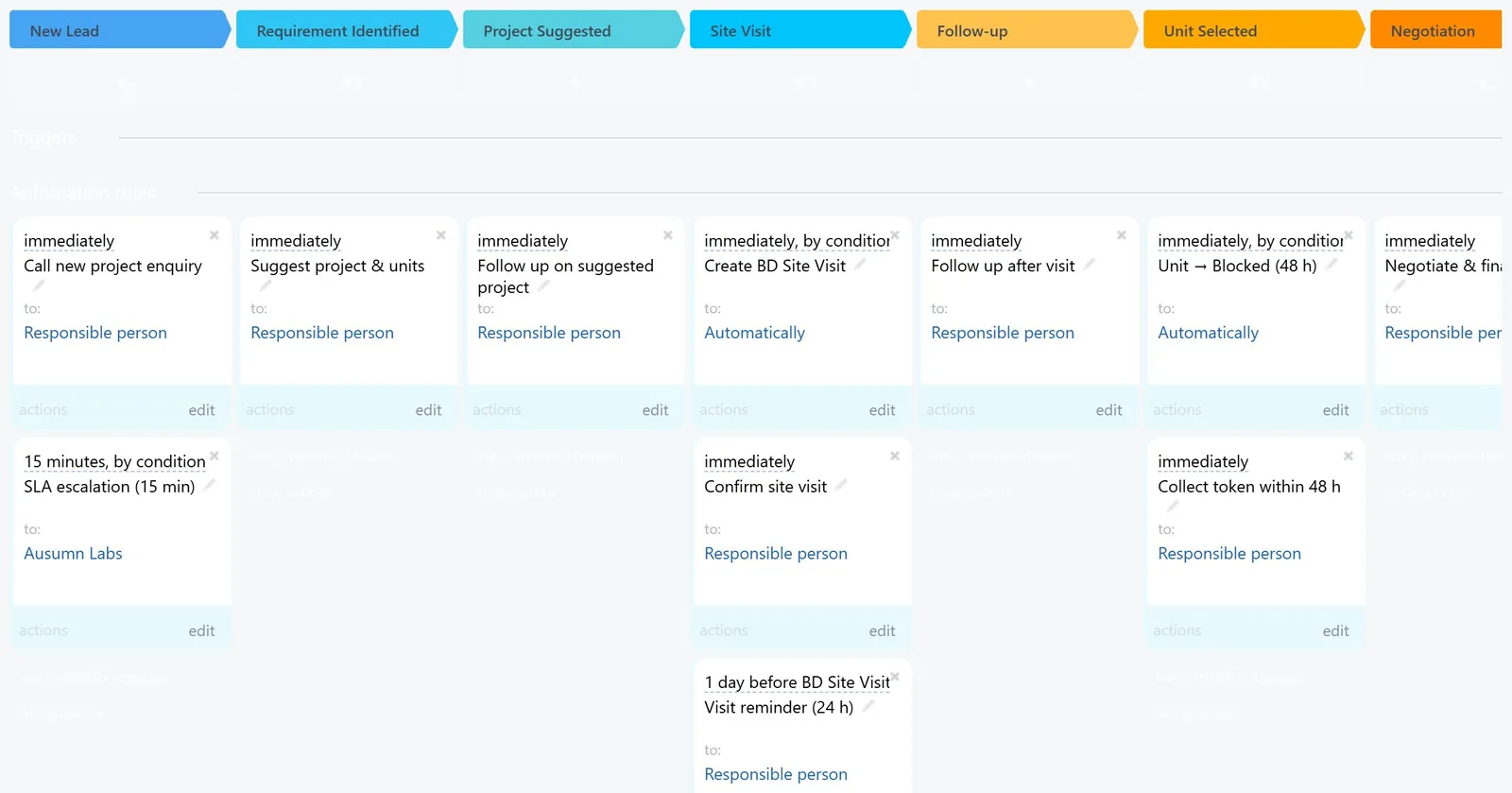
Automation on every stage
Automation on the Builder Sales pipeline: call task, SLA alert, site visit, unit blocked for 48 hours.
What's inside
Everything a builder team needs, ready to use.
Projects
RERA number, location, towers, total units, launch and possession dates, base rate, amenities, approved banks and default partner commission.
Units
Every flat, villa, plot or shop with tower, floor, configuration, carpet, built-up and super built-up area, facing, car parks and price components.
Inventory grid
Tower-by-floor view of the whole project, coloured by status, with price on every unit and an Available only filter for sales calls.
Cost sheet
Price breakdown for any unit with a discount box. Save the final price to the unit, or share it on WhatsApp in one tap.
Automatic unit status
Unit Selected blocks the unit for 48 hours. Token, Booking, Agreement, Registration and Handover move it along; lost or cancelled deals release it.
Site visits
Visit record with project, unit and time, a reminder the day before and a feedback task after.
Stage rules
Visit date, unit, token, booking amount and date, agreement value and payment plan are compulsory at the right stages.
Booking documents
Booking Form and Booking Amount Receipt generated at booking, numbered BD-1, BD-2 and on.
Channel partners
Empanelment pipeline from Applied to Empanelled, with RERA, PAN, GSTIN, localities and commission %.
Commissions
Created at agreement for partner-sourced deals with sale value, %, GST and total payable. Eligible at registration, then Invoice, Approved, Paid.
Payment plans and loans
Construction-linked, down payment, subvention or flexi plans, home-loan status, amount received, registration and handover dates.
Builder dashboard
Per-project KPIs, inventory grid, pipeline by stage and commission totals by status.
Pipelines
Stages in your team's own words.
Builder Sales
Channel Partner
Start to finish
What the CRM does at every step.
Why Ausumn Labs
Built by a partner that works in property.
Bitrix24 Silver Partner
Focused on real estate, built from real broker and builder work in Bengaluru.
Set up on your own Bitrix24
Your projects, listings, pipelines, team and letterhead. Your data stays in your account.
Your data imported
We import your listings or inventory sheet and train your sales, CRM and accounts teams.
Separate modules
Broker, builder and agency modules each have their own menu, pipelines, fields and documents.
Common questions
Can we import our price list and units?
Yes. We import your inventory sheet (tower, floor, unit, areas, rates) during setup.
Can price differ by floor or view?
Yes. Floor rise and PLC are set per unit, and the cost sheet adds them automatically.
Do channel partners get access?
By default partners are records with commission tracking. They can be given restricted access later.
Can it send demand letters?
The Payment Plan stage creates the demand letter task today. Automated demand letters can be added per payment schedule.
Is it separate from the broker CRM?
Yes. Builder CRM has its own menu, pipelines, fields and documents.
See your own sales process inside Bitrix24.
Show us how you sell today. We will map it, point out the gaps and show what to fix first.